Ready to check your status
Choose what you want to search, enter your details above, and we'll explain the status and your next steps.
Use the tracker above to check your vehicle registration, driver’s license, or MV file status and understand your next steps.
Free guidance to help you navigate LTO transactions with confidence.
LTO Tracker: Check Plate Status & License Online
Waiting for a vehicle plate becomes stressful when your dealer gives no clear date, useful update, or reliable release information. You may also face missing records, confusing messages, and different tracking pages for separate LTO regions. The LTO tracker helps you to check plate or license card availability through supported online services.
You can search with an MV file number, plate number, or license details, depending on the available page. Still, you should submit personal details only through official LTO websites or announced regional systems. LTO has also tested online tracking and courier delivery for plates and license cards. This guide explains how you can search records, fix errors, and follow delivery updates. You will also learn about regional tools and plastic license card inquiries. For broader LTMS services, account access, and online transactions, see our LTO Portal guide.
What Is the LTO Plate Tracker?
The LTO plate tracker helps you to check whether a plate is available, released, or assigned to a location. You may use a supported LTO plate number tracker with details printed on your OR or CR. However, it differs from a lot of violation trackers used for traffic-related records.
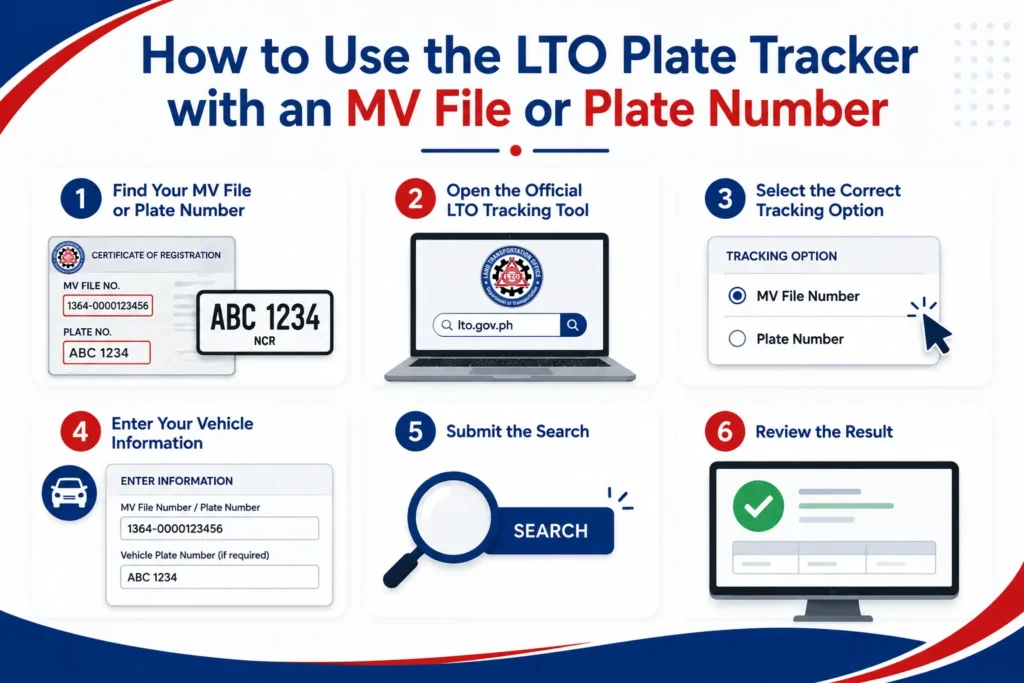
How to Use the LTO Plate Tracker with an MV File or Plate Number
Once your documents are ready, you can search without visiting an office. Enter every character carefully because one mistake may stop the LTO tracker plate search.
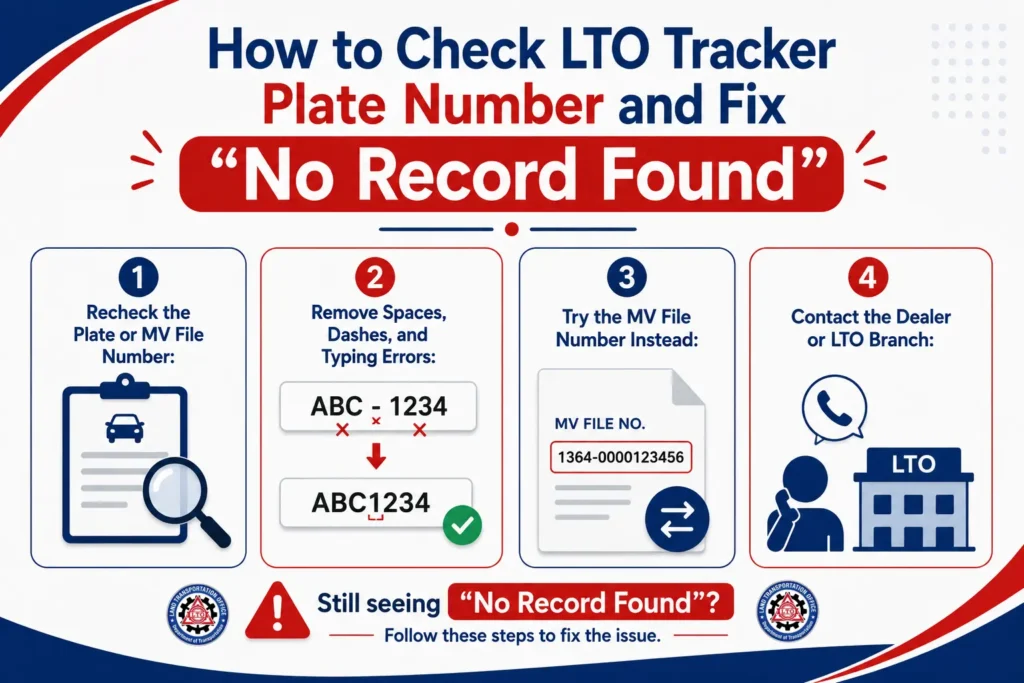
How to Check LTO Tracker Plate Number and Fix “No Record Found”
A missing result may appear because your entry is wrong or the regional record remains unavailable. Before travelling, you should try these checks for a better LTO tracker Philippines license plate status search. If you plan to drive in Metro Manila, you can also check the Metro Manila coding schedule to see whether your plate number is restricted that day.
LTO Tracker Plate Number Delivery Timeline and Dealer Delays
The LTO tracker plate number delivery period varies because printing, release, dealer handling, and courier movement happen separately. Therefore, an LTO plate tracker delivery update may remain unchanged during another processing stage.
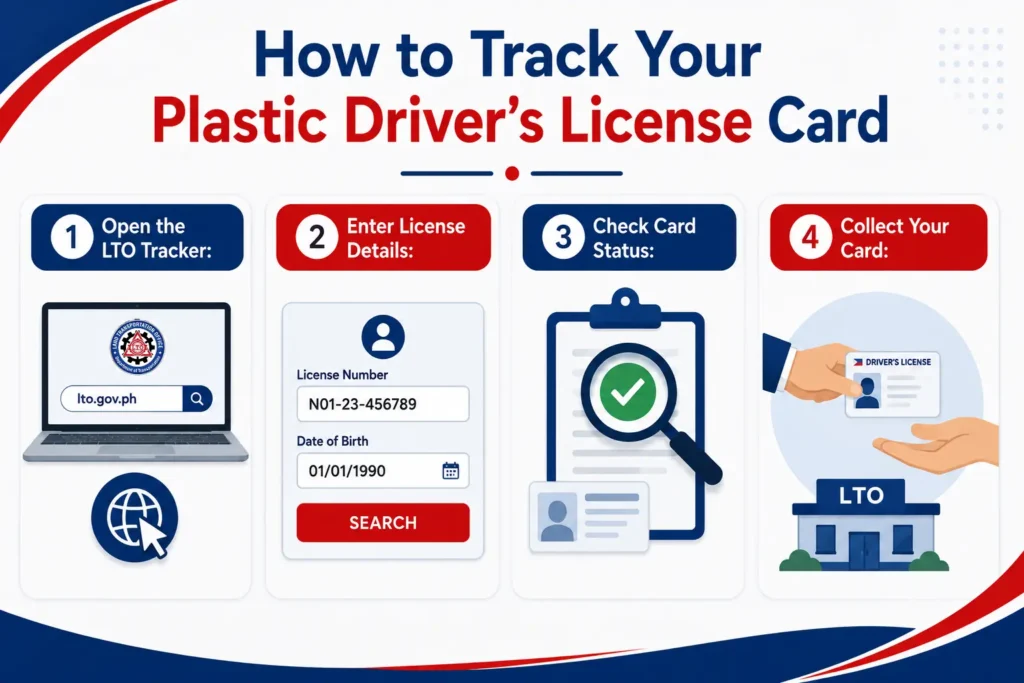
How to Track Your Plastic Driver’s License Card
You may check an unclaimed plastic card when your regional office supports online inquiry. LTO-NCR provides card inquiries for clients within covered offices.
Regional LTO Branch Tracking Tools and Plate Verification Systems
Regional offices may use separate systems, so one tool may not show records registered elsewhere. LTO-NCR limits its inquiries to vehicles processed within covered offices. Therefore, you should check your registration region when the main LTO tracker app shows nothing. Always verify links before entering personal information.
Frequently Asked Questions
Can I track a plate without a plate number?
Yes, you may use your MV file number when the tracking page accepts it.
Where can I find my MV file number?
You can usually find it on your Official Receipt or Certificate of Registration.
Does “Verified” mean my plate is ready?
No, it may only confirm your record, so wait for a clear release message.
What does “Released to Dealer” mean?
It usually means your plate reached the dealer, so contact its releasing department.
Can I track an unclaimed plastic license card?
Yes, when your regional office provides an online card inquiry service.
Final Words
The LTO tracker helps you to check plate records, delivery progress, and supported license card inquiries without unnecessary visits. You should enter each detail carefully, read the complete result, and contact your dealer when information remains unclear. Since regional systems differ, the plate number process may not appear identical for everyone. Still, careful checking helps you to understand the next step and avoid wasted travel.
Official LTO websites:
https://lto.gov.ph/
https://portal.lto.gov.ph/
Disclaimer
TheLTOPortal is an independent informational website and is not affiliated with or endorsed by the Land Transportation Office (LTO), the LTMS Portal, or any Philippine government agency. All content is provided for general informational purposes only and should not be considered official government advice.